AAC family
AAC-LC (mono or stereo) plus stereo HE-AAC v1 (SBR) and HE-AAC v2 (SBR+PS) — as ADTS .aac or MPEG-4 .m4a. LC uses native WebCodecs with an fdk-aac (WASM) fallback; HE-AAC runs on fdk-aac (WASM).
Client-side audio · Browser, PWA & Android · No upload farm
Live in browser Android on Google Play
Effects-first transcoder with a real signal chain — not another Play Store junk converter.
Drop a folder of audio, dial LUFS and radio simulation, pick a codec like you mean it (AAC-LC / HE-AAC, LAME MP3, MP2, FLAC, Opus, Ogg Vorbis, broadcast BWF / RF64, console ADPCM like PlayStation and Nintendo, telephony G.722 / G.726, and more), then batch-export a ZIP — entirely on your device, in the browser or the Android app. UI in 20 languages.
Free in the browser and on Android (the Android app is supported by ads). No upload — your audio stays on your device.
Most “audio converter” apps are format laundry: one slider, muddy defaults, and zero respect for loudness, psychoacoustics, or batch workflow.
What junk converters do
What chainDRiVE does
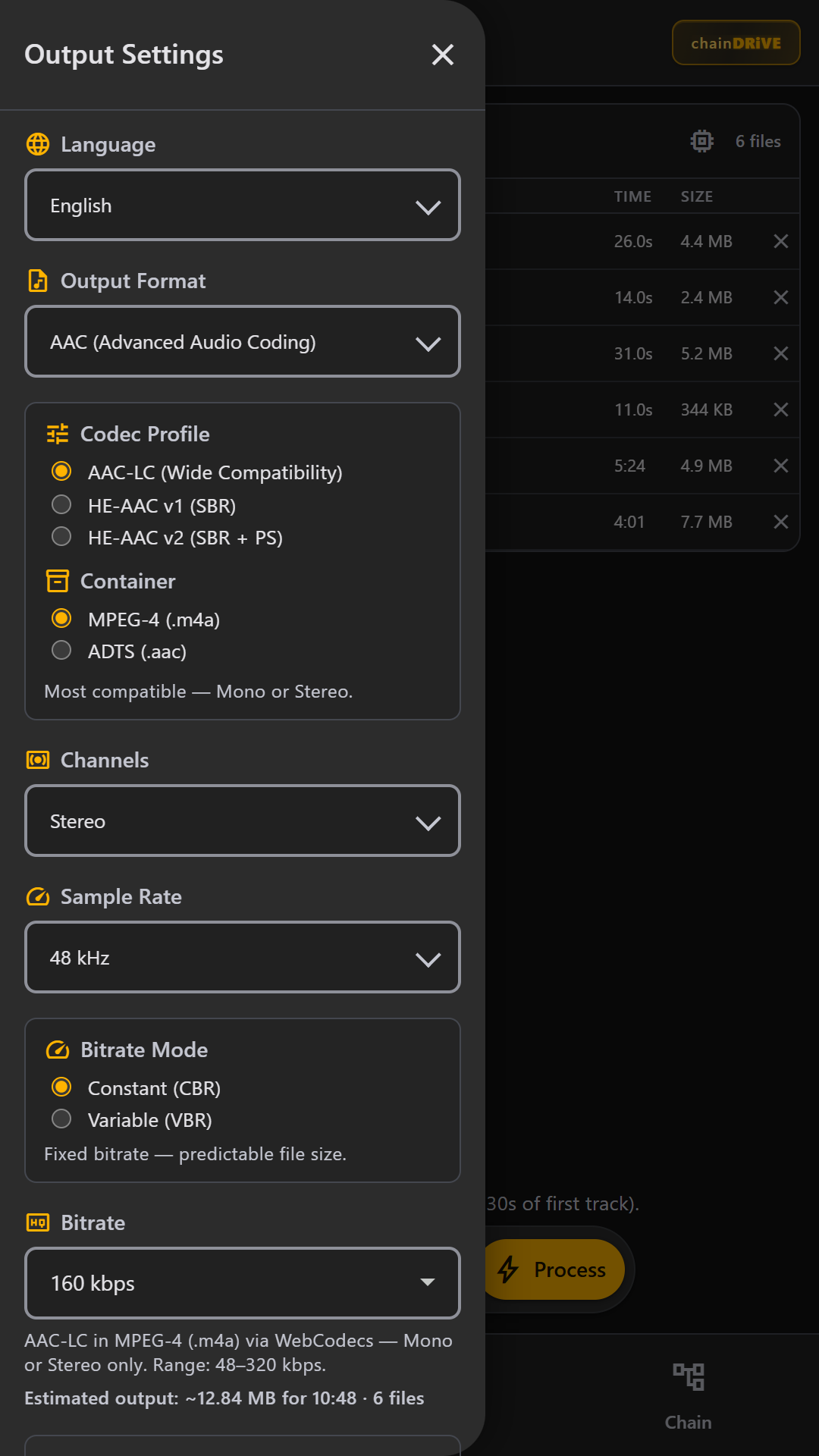
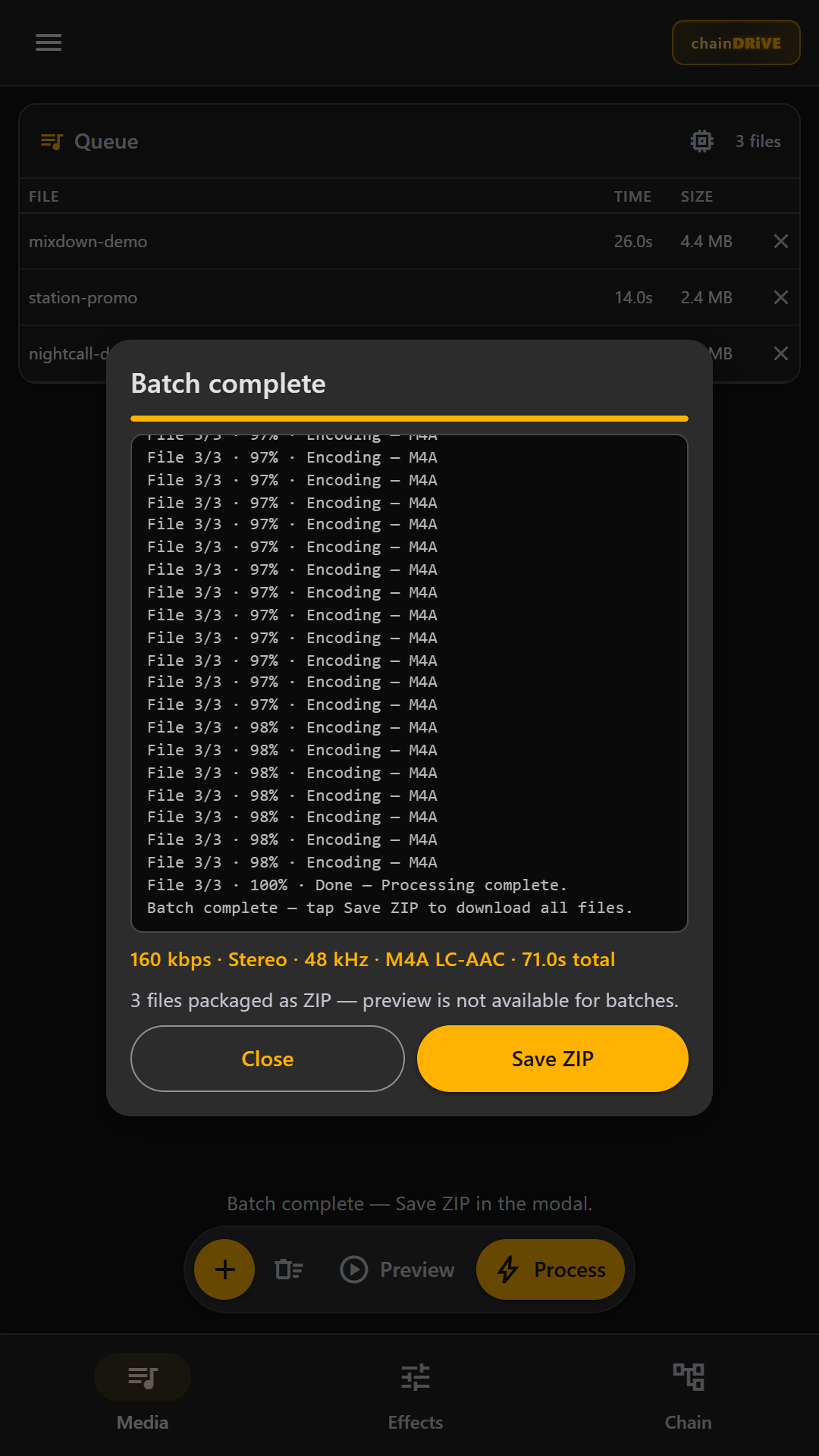
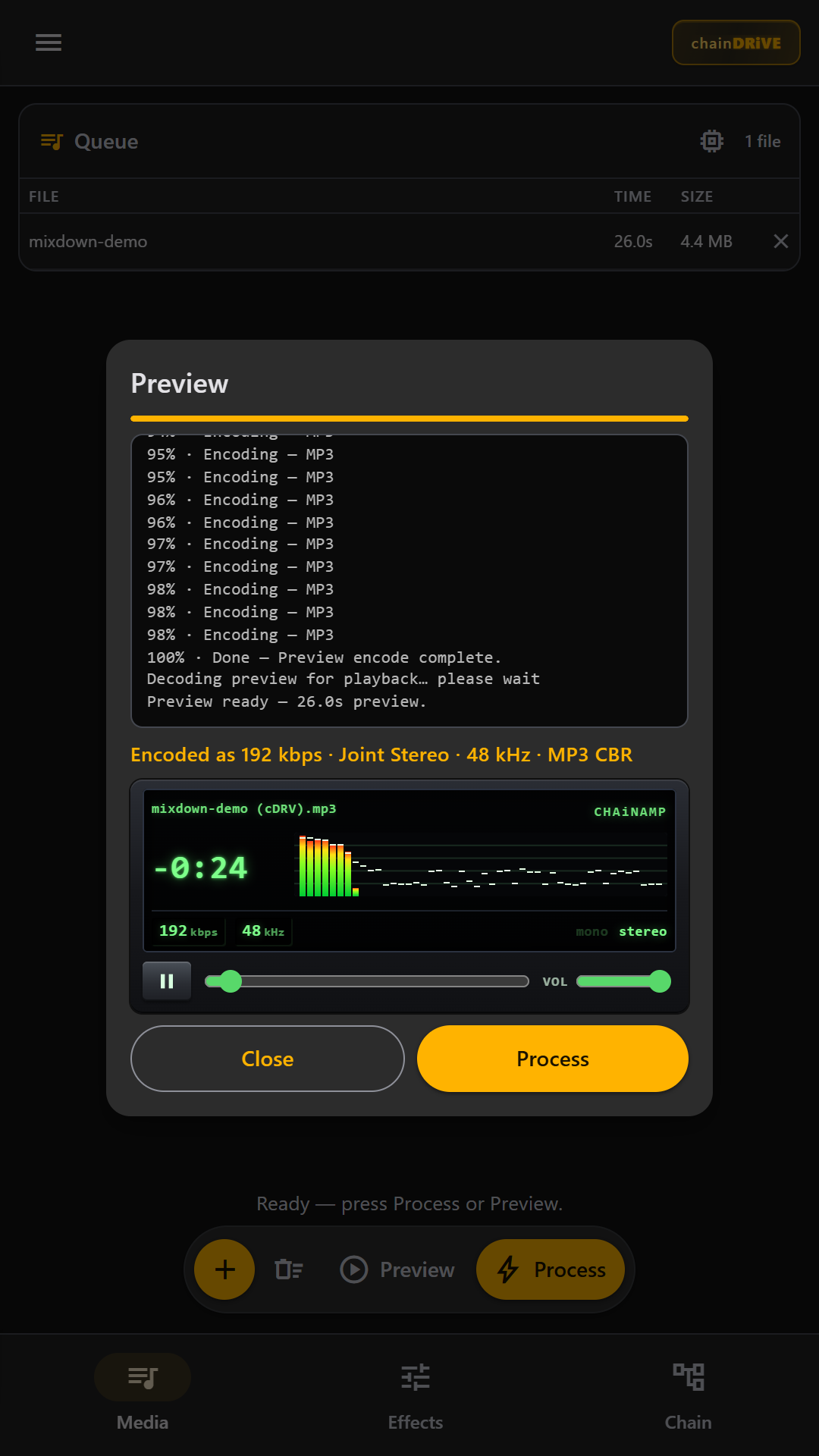
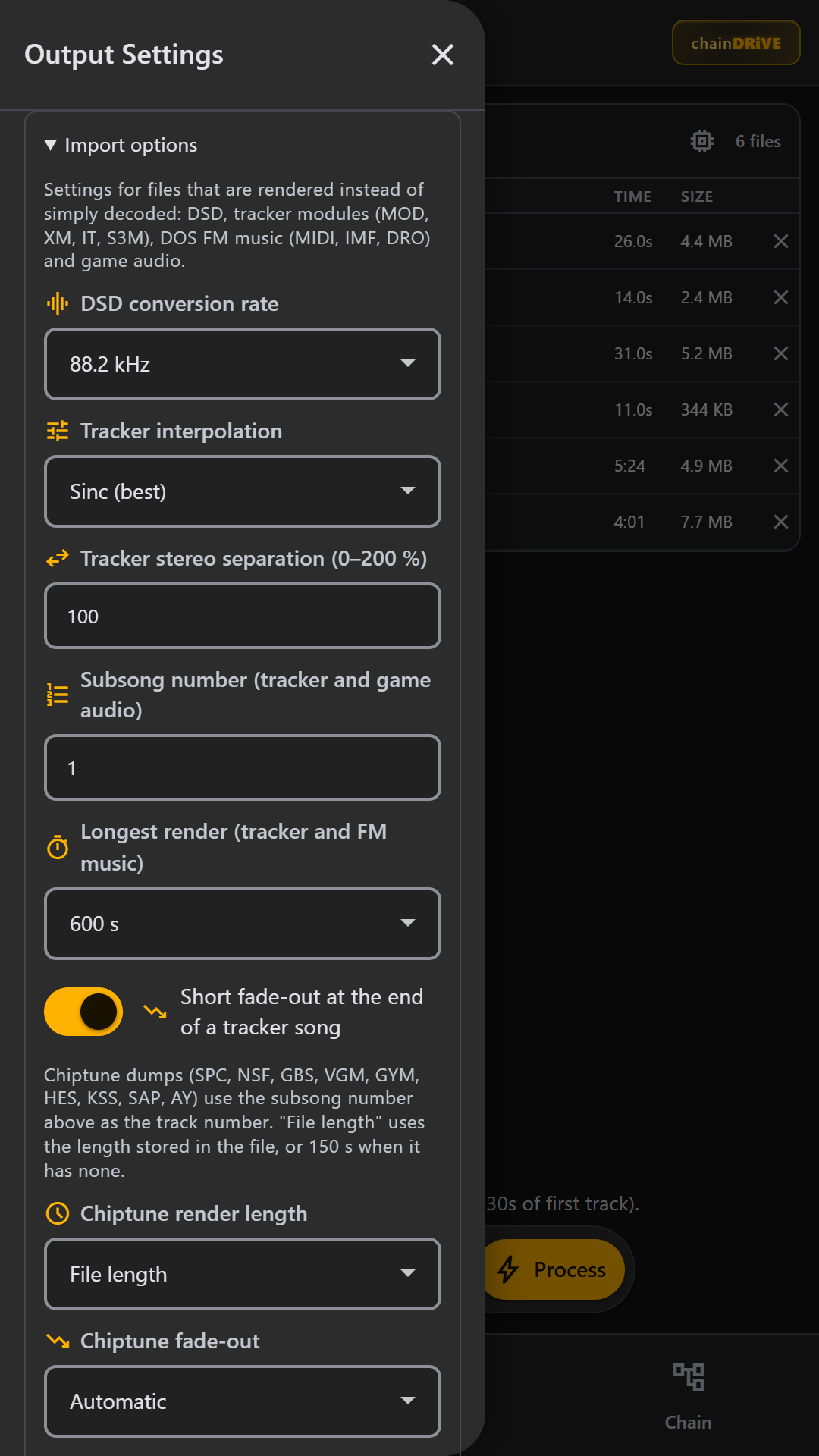
(cDRV batch).zipMedia queue, effects (including the Crystallizer), output format menu, import options, archive browser, ROM sample scanner, chain map, CHAiNAMP preview, job log, batch ZIP — swipe the rail.
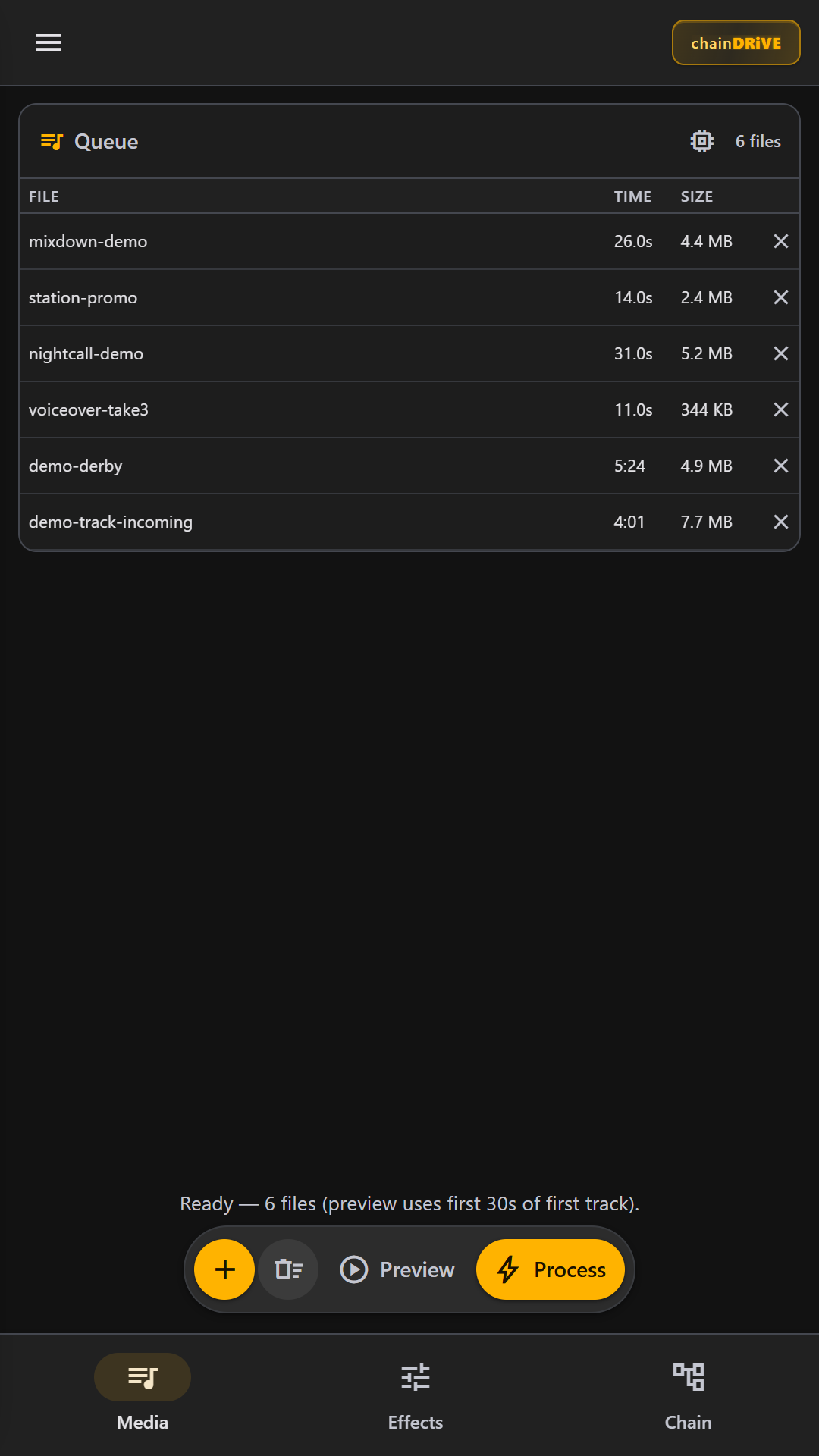
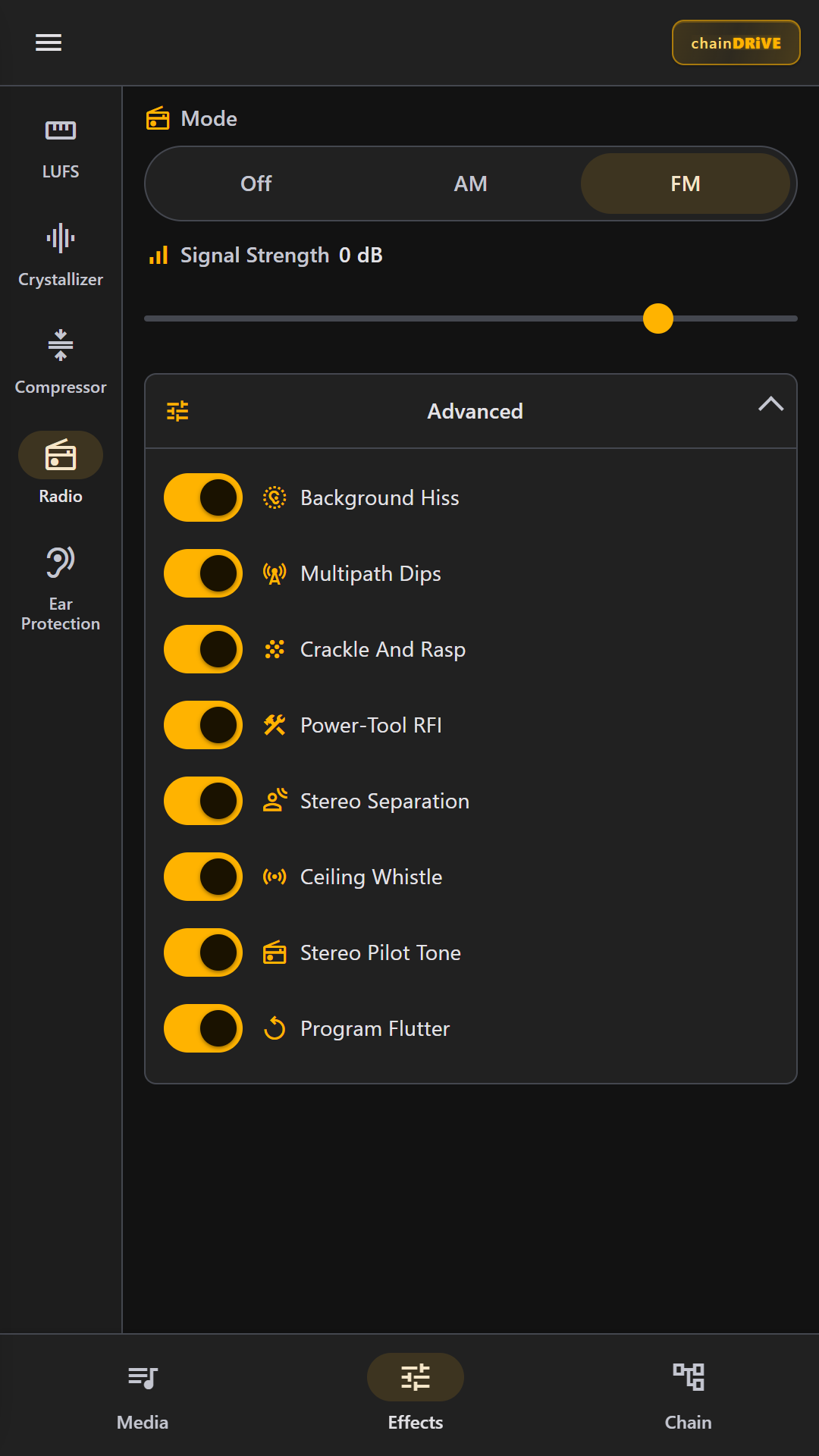
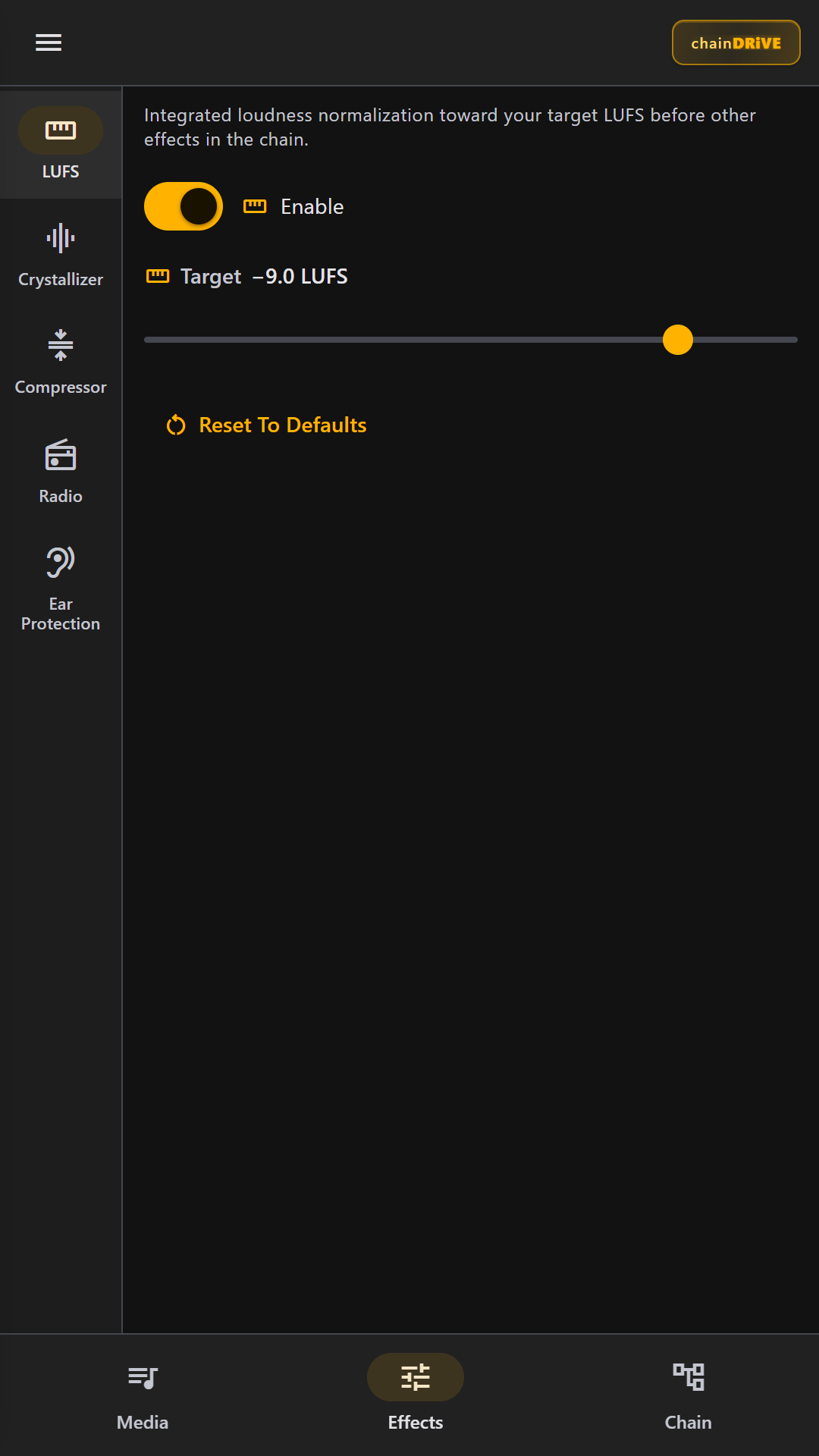
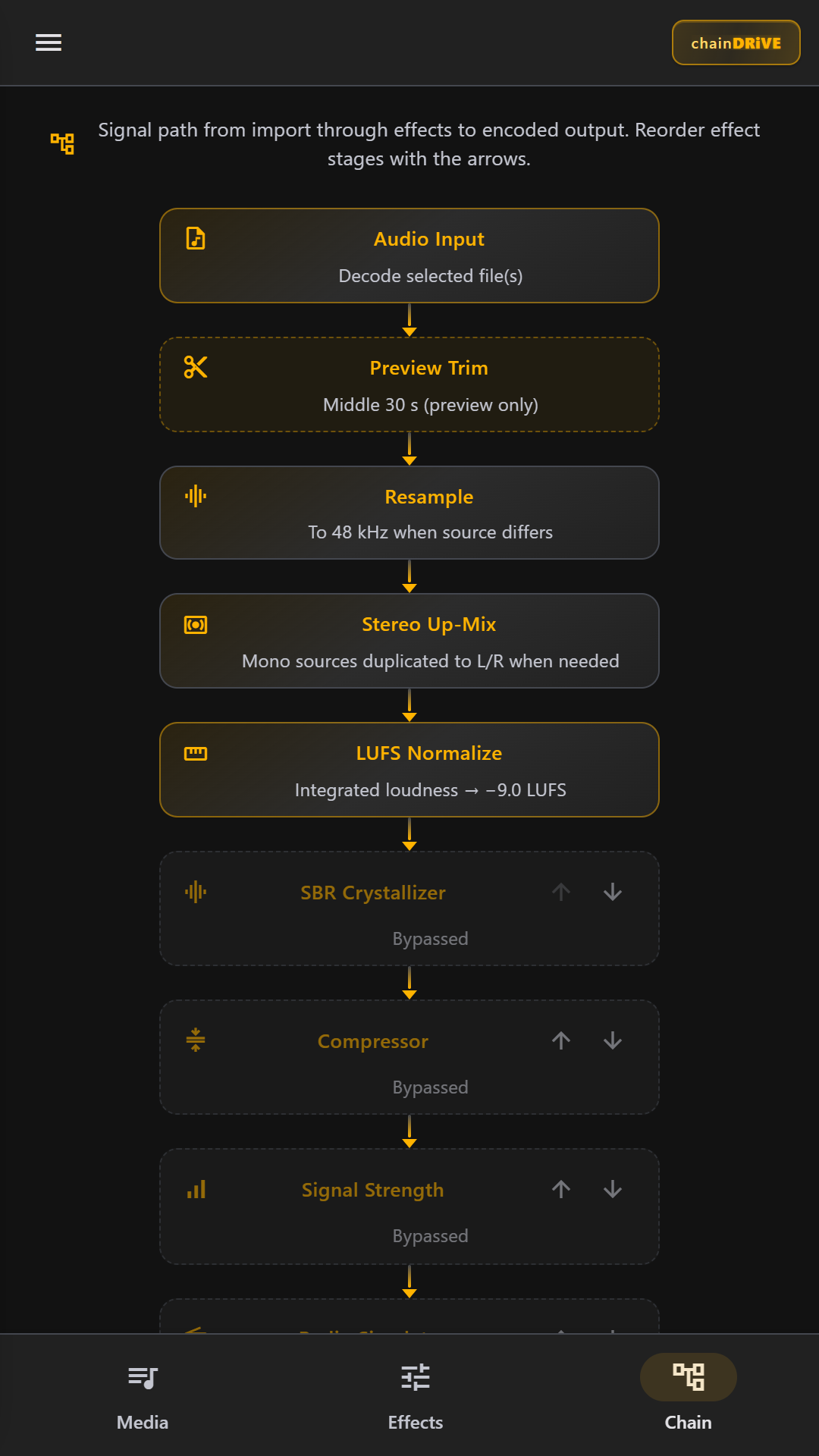
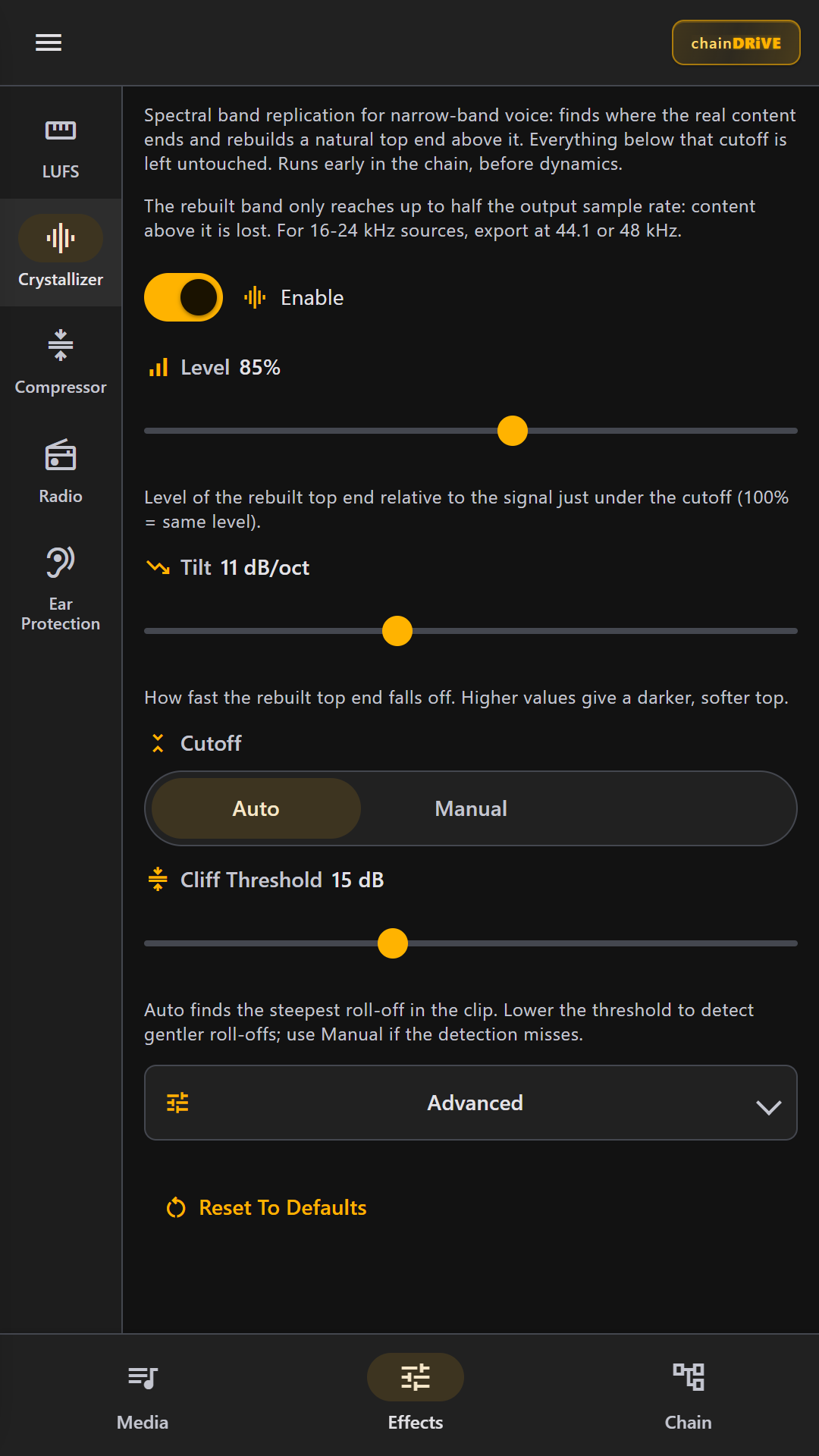
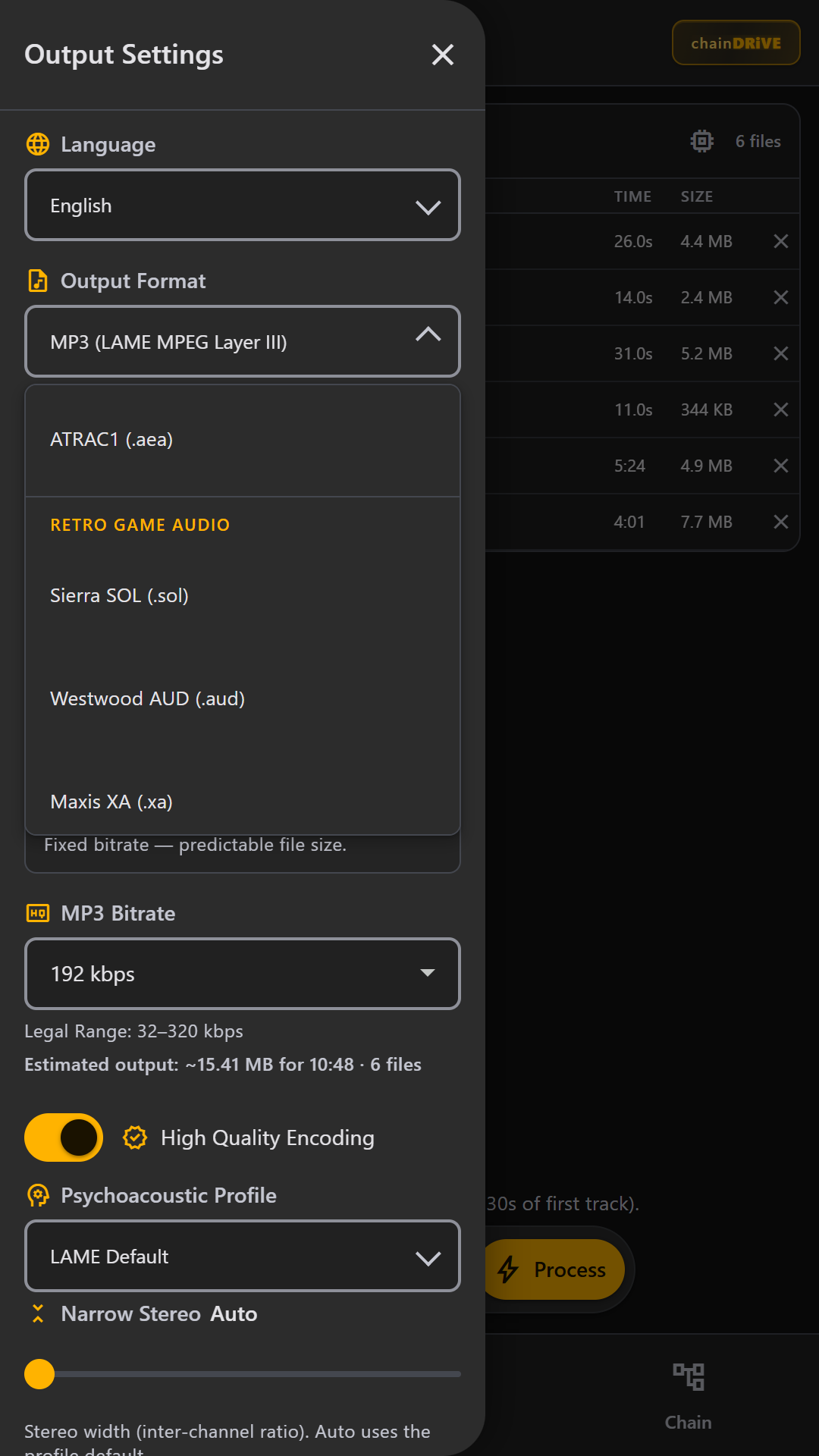
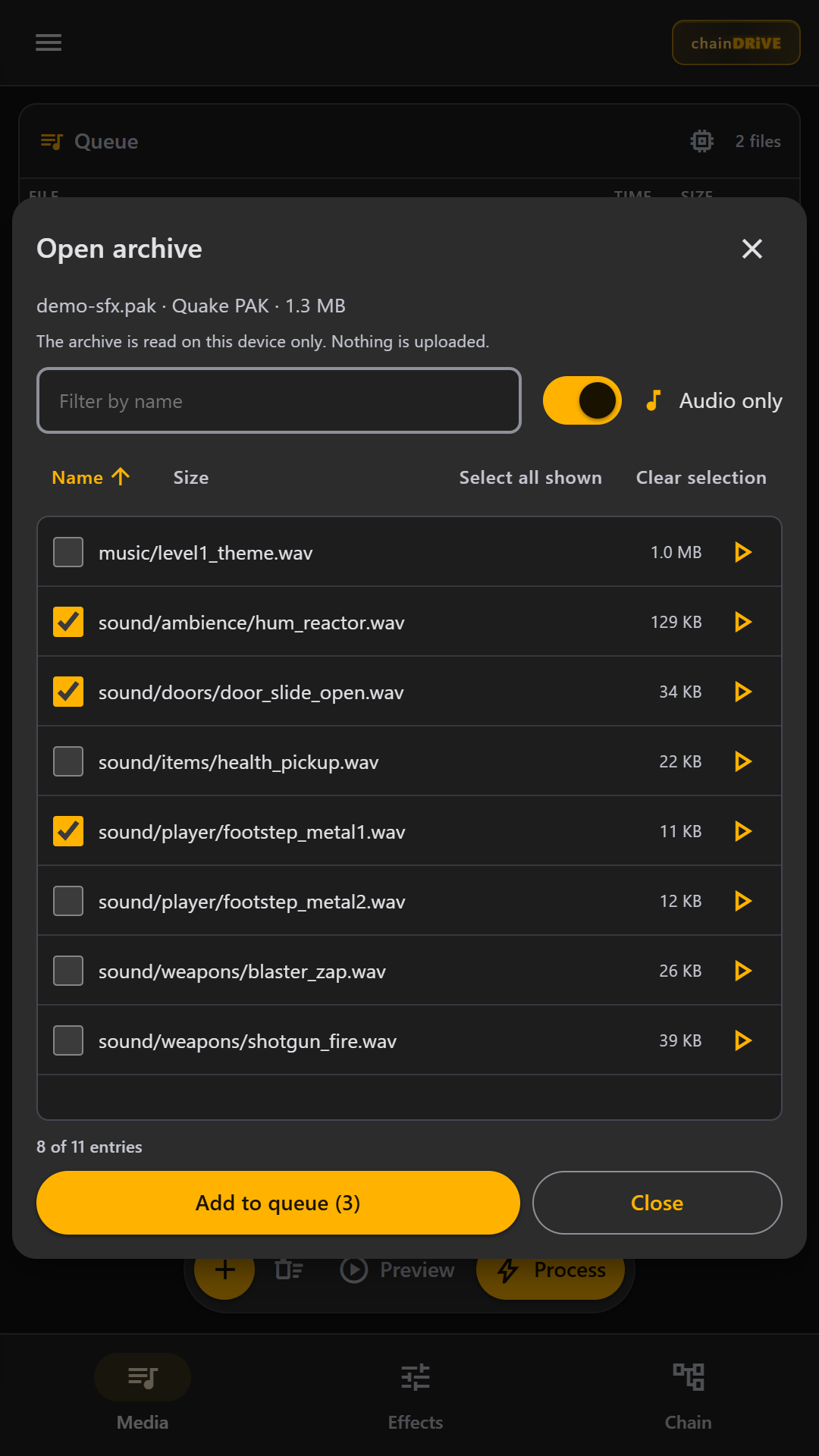
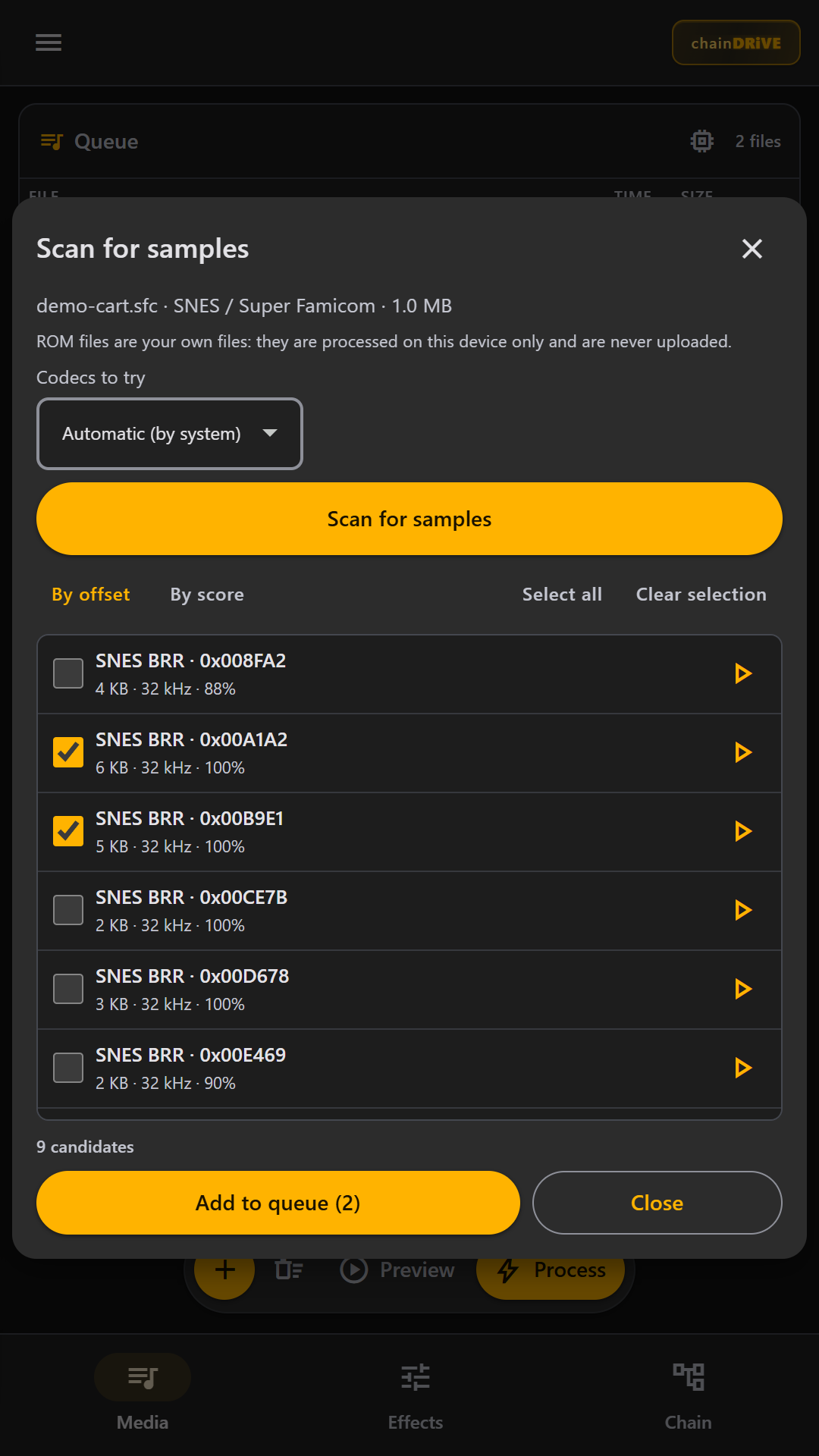
Every stage is intentional. Loudness first, creative FX in the middle, encode last.
Load common formats (MP3, M4A/AAC/MP4, FLAC, WAV, Opus/Ogg, WebM, AMR, AIFF…) and the specialty ones too (BWF, RF64, Wave64, CAF, VOC, 8SVX, MP1/MP2, Monkey's Audio, Musepack, WavPack, TTA, ALAC, Speex, DSD, WMA, RealAudio, DTS, ATRAC, tracker modules, MIDI/OPL, PlayStation, Nintendo, ADX, G.722/G.726, raw PCM). Resample and channel-map before any FX.
K-weighted integrated loudness with a target you set (broadcast-style −24…−6 LUFS range) and peak safety — not a dumb “normalize to 0 dBFS.”
Compressor, Signal Strength makeup, AM/FM radio simulator (hum, multipath, sferics, pilot…), Ear Protect shelf — drag the order, persist it. The Crystallizer is a spectral band replication (SBR) effect that rebuilds a natural top end above where narrow-band voice recordings cut off. It is off by default, with controls for level, tilt, cutoff (auto or manual) and more.
Limiter closes the chain, then the encoder you actually chose. Multi-file jobs land in one (cDRV batch).zip.
Encoded and decoded on your device — in the browser or the Android app. Every output can be previewed in the built-in player before you save it, and the specialty formats below can be loaded as inputs too.
Perceptual codecs for music and everyday sharing.
Bit-exact when you do not want to throw anything away.
Studio, archive and legacy wrappers.
The broadcast workhorses, as .mp1 / .mp2 or inside WAV / BWF.
The audiophile and archive codecs, read and written on your device.
Export AC-3 and E-AC-3 surround-era codecs plus the MiniDisc-era ATRAC family.
Import-only: decoded on your device, then converted to anything above.
Sequenced music, rendered to audio so you can process and export it.
Export classic PC and console game audio formats.
Open an archive, pick a sound. Everything stays on your device. The archive browser lists the audio entries (filter, preview, select) and adds the ones you pick to the queue. The ROM sample scanner searches a cartridge image for sample data you can audition and add the same way.
4-bit ADPCM from consoles and arcades.
Low-bitrate speech codecs. G.726 is 8 kHz mono, G.722 is 16 kHz mono, OKI VOX is 8 kHz.
Formats that rely on a platform encoder (AAC via WebCodecs, AMR) appear only when your device can actually produce them; the software-implemented formats work everywhere. Curious how they work? Read The Wonderful World of Audio Codecs.
If the UI only offers “High quality MP3,” it is not a transcoder — it is a toy.
AAC-LC (mono or stereo) plus stereo HE-AAC v1 (SBR) and HE-AAC v2 (SBR+PS) — as ADTS .aac or MPEG-4 .m4a. LC uses native WebCodecs with an fdk-aac (WASM) fallback; HE-AAC runs on fdk-aac (WASM).
CBR/VBR, HQ toggle, and six psychoacoustic/stereo profiles (LAME Default, FHG Narrow, Music, Speech, Wide Stereo, MS Joint Only), with adjustable stereo width and Force-MS joint stereo — knobs for people who hear the difference.
FLAC, AIFF, AU/SND (Sun Audio), and WAV PCM in 16- or 24-bit integer and 32-bit float — bit-exact when you do not want to throw anything away.
Opus (.opus) with Audio / VoIP / Low-Delay application modes and complexity 0–10, plus Ogg Vorbis and WebM (Opus) for the open-web stack.
AMR-NB (8 kHz) and AMR-WB (16 kHz), WAV IMA & Microsoft ADPCM, G.711 A-law / μ-law, and GSM 6.10 — the low-bitrate and legacy codecs most converters skip.
Sample rates from 8 kHz telephony up through 48 kHz; mono, stereo, or joint stereo where the codec allows; size estimates before you commit.
Formats appear when the device can actually encode them — no fake “Supported” badges for codecs the browser cannot ship.
CSP locks the app to itself. Processing uses local OfflineAudioContext and workers — your stems are not a SaaS upload.
Terrestrial AM/FM character printed to a file — the Dialer's Lab radio-chain work, rendered offline. Pick Off, AM, or FM, dial Signal Strength, and toggle each artifact on or off.
Eight switchable artifacts: mains hum, power-line buzz, background hiss, heterodyne whistle, crackle & pops, static crashes (sferics), selective fading, and carrier flutter.
Eight switchable artifacts: background hiss, multipath dips, crackle & rasp, power-tool RFI, stereo separation, ceiling whistle, stereo pilot tone, and program flutter.
Field note: Faking AM & FM in Web Audio.
Queue a folder, set one chain + one encode profile, run once — get a ZIP, not twelve mystery downloads.
Drag-drop, select, process all. Same loudness and FX recipe across the set.
Terminal-style process log so you can see decode → LUFS → FX → encode, and abort mid-run.
(cDRV batch).zip packaging for the whole run — built for people who convert libraries, not single clips.
Browser, installable PWA and Android — same studio as Global Chaos CB Radio and KAOS-FM.
Full workbench on desktop, phone-first chrome on mobile, installable as a PWA. No account, nothing uploaded.
The same engine in an app, supported by ads. Big batches keep running with a foreground-service progress notification, so converting a folder does not stall when you switch apps.
The interface ships in 20 languages: Arabic, Chinese, Dutch, English, Filipino, French, German, Hindi, Indonesian, Italian, Japanese, Korean, Polish, Portuguese, Russian, Spanish, Thai, Turkish, Ukrainian and Vietnamese.
Codec depth, honest convert, and where CHAiNAMP is headed.
Free, on-device, no signup — open it in your browser or get the Android app, and drop in a file.